Skip to content
Menu
  • Home
  • General
  • Social Media
  • Shopping
  • Internet Marketing
  • Talk Back
Emptynestonline

Category: Technology

Simplifying Website Discovery With Organized Address Collections

Posted on November 2, 2026November 5, 2026

Finding useful online resources becomes easier when website addresses are gathered, arranged, and presented clearly. Instead of relying on scattered bookmarks or repeated searches, readers can use organized collections to reach relevant information with fewer steps.

1. Build Collections Around Clear Categories

Begin by identifying the subjects people regularly explore. Grouping related addresses gives every collection a purpose and helps readers understand where to look.

  • Create topic-based groups: Arrange resources under subjects such as education, entertainment, shopping, news, hobbies, and professional learning.
  • Use specific subcategories: Divide large topics into smaller sections so readers can narrow their choices quickly.
  • Choose familiar labels: Use short category names that communicate the content without extra explanation.
  • Keep related resources together: Place websites with similar purposes in the same section to support smoother discovery.

2. Keep Address Listings Clear and Useful

A collection becomes more valuable when each entry gives readers enough context to decide whether it is relevant. Simple descriptions make long lists easier to navigate.

  • Write concise summaries: Explain the purpose of each resource in a single, informative sentence.
  • Check every address: Review links regularly to confirm that they open correctly and lead to expected content.
  • Remove duplicate entries: Keep one listing for each resource to reduce clutter.
  • Arrange entries logically: Use alphabetical order or subject relevance when it improves browsing.
  • Highlight useful details: Add brief notes about content type, key features, or intended audience.

3. Make Updates Part of the Routine

Online resources change over time, so organized collections benefit from regular attention. A simple maintenance routine keeps information relevant and supports a positive browsing experience.

  • Review categories on a planned schedule.
  • Replace outdated addresses with current alternatives.
  • Add useful discoveries after checking their relevance.
  • Remove entries that no longer serve the collection’s purpose.
  • Invite reader suggestions to identify helpful additions.

Consistent updates keep collections practical rather than turning them into forgotten lists.

4. Support Easier Discovery and Confident Browsing

Good organization is not only about storing addresses; it is about helping people find the right starting point. A well-maintained 최신 사이트모음 can bring related resources together and make exploration more straightforward. For a smoother experience, keep the layout readable across screen sizes, use accessible text, and make category navigation easy to understand. Avoid overwhelming readers with too many links on one page.

Conclusion

Organized address collections turn scattered online destinations into a practical guide for everyday browsing. By choosing meaningful categories, writing helpful descriptions, checking links, and reviewing entries regularly, anyone can create a resource that saves time and encourages discovery. Start with a few useful subjects, build a clear structure, and expand it gradually as new needs emerge. With thoughtful maintenance, the collection can remain welcoming, relevant, and easy to use.


Work Smarter With a Laptop Screen Extension Setup

Posted on October 19, 2026October 21, 2026

A productive workspace begins with the right tools, comfortable positioning, and enough screen space to manage everyday tasks efficiently. Adding an extra display to a laptop creates a flexible working environment that supports better organization and smoother multitasking. Whether handling documents, attending virtual meetings, planning projects, or reviewing information, an expanded screen arrangement makes daily activities more convenient and enjoyable.

Enjoy Better Multitasking

Working with several windows on a single display can require frequent switching, interrupting concentration. An additional screen helps keep important information visible while allowing other tasks to continue independently. With a Laptop Screen Extension setup, users can organize their digital workspace according to their priorities and work more comfortably throughout the day.

Key multitasking benefits include:

  • Keep reference documents visible while writing.
  • Review spreadsheets alongside supporting information.
  • Follow presentations while preparing detailed notes.
  • Manage communication windows without hiding essential content.
  • Compare reports and data with greater convenience.
  • Arrange daily tasks across dedicated screen areas.

Create a More Organized Workspace

An extended display encourages a cleaner, more structured approach to everyday responsibilities. Instead of squeezing everything into one small viewing area, users can assign different activities to separate screens. This arrangement makes information easier to locate and helps maintain a consistent workflow.

Simple organization ideas include:

  • Place primary work on the main display.
  • Keep research materials on the secondary screen.
  • Position calendars and schedules within easy view.
  • Separate creative tasks from administrative activities.
  • Keep frequently referenced details readily accessible.
  • Arrange windows according to task importance.

Improve Comfort and ProductivityGaming Monitor

A thoughtfully arranged workstation can make long working sessions feel more manageable. Positioning screens at suitable heights and maintaining comfortable viewing distances helps create a pleasant environment. Adjustable stands, suitable brightness, and reduced screen glare can further improve the overall experience.

For a more comfortable setup, consider these practical adjustments:

  • Align displays to reduce unnecessary head movement.
  • Adjust brightness to match surrounding light.
  • Use readable text sizes for extended viewing.
  • Keep the desk clear of unnecessary accessories.
  • Position the keyboard and mouse comfortably.
  • Take regular breaks to relax the eyes.

Choose Flexible Connectivity Options

Modern extended-display arrangements can support different working styles, from home offices to shared desks and temporary workstations. Selecting compatible connections and suitable display settings helps create a reliable experience without adding unnecessary complexity.

Useful features to consider include:

  • Lightweight displays for convenient transportation.
  • Simple connections for quicker setup.
  • Clear resolution for detailed visual content.
  • Adjustable orientation for different activities.
  • Compact designs that preserve valuable desk space.
  • Responsive displays for smooth everyday interaction.

Build a Workspace That Supports Growth

An expanded screen arrangement can adapt as responsibilities and personal projects evolve. Students can organize study materials, professionals can manage multiple assignments, and creative users can keep reference images beside their active work. The flexibility makes it easier to personalize the workspace without completely changing existing equipment.

Ultimately, a well-planned extended display setup encourages better organization, efficient multitasking, and greater everyday convenience. By choosing suitable equipment, arranging screens thoughtfully, and developing consistent work habits, anyone can create a workspace that supports concentration and productivity. Small improvements to screen space can make daily tasks feel more manageable while helping users approach their goals with confidence.

SnapTik Review Examining Features, Benefits, and Ease of Use

Posted on October 18, 2026October 19, 2026

Saving short videos for later viewing can make everyday digital experiences more convenient and enjoyable. A reliable downloading tool offers a straightforward way to keep useful clips, revisit creative ideas, and organize favorite content. SnapTik stands out as a familiar name associated with convenient video-saving features, while a well-designed downloading experience can make the entire process feel simple and accessible.

Key Features Worth Exploring

A good downloading tool combines practical functions with a clean interface. Its features should help users complete tasks efficiently without unnecessary complications.

  • Simple navigation: Clear options make essential functions easier to discover.
  • Quick processing: Efficient performance supports a smooth downloading experience.
  • Convenient access: Straightforward controls reduce the number of steps required.
  • Flexible viewing: Saved clips can be revisited whenever convenient.
  • Organized storage: Downloaded files can be arranged for easier access.
  • User-friendly design: Readable labels and familiar layouts improve usability.

These features contribute to a comfortable experience for beginners and regular users alike. A simple structure also helps people focus on their preferred content instead of spending time learning complicated controls.

Benefits of a Video Downloading Tool

SnapTik Review

The primary advantage of a downloading utility is convenience. Keeping selected videos available locally can support personal collections, creative inspiration, and offline viewing when permitted.

A dependable TikTok Video Downloader can simplify the process of saving suitable clips for later reference. This functionality is especially useful when users want to revisit educational explanations, memorable moments, or creative examples without repeatedly searching for the original content.

Additional benefits include:

  • Better accessibility: Keep permitted downloads available without repeated searches.
  • Personal collections: Group saved clips according to individual interests.
  • Creative inspiration: Revisit visual ideas for personal projects.
  • Time efficiency: Reduce the effort involved in finding previously saved material.
  • Flexible organization: Maintain a collection that suits individual preferences.

Together, these advantages make video-saving tools practical additions to everyday content management.

Ease of Use and Overall Experience

An enjoyable tool should make each step understandable from the beginning. A simple workflow generally involves locating an eligible video, copying its available link, placing that link into the designated field, and selecting the appropriate download option.

Clear instructions and responsive controls can make this process more comfortable. When the interface avoids clutter, users can understand the available choices and complete common tasks with greater confidence.

Useful usability qualities include:

  • Clear instructions at every stage.
  • Readable buttons and input fields.
  • Minimal unnecessary navigation.
  • Helpful feedback during processing.
  • Easy access to completed downloads.

These details create a more approachable experience for people with different levels of technical knowledge.

Responsible and Practical Usage

A positive downloading experience also depends on thoughtful habits. Users should respect content ownership, follow applicable terms, and obtain permission whenever required. Checking file sources and avoiding suspicious download prompts can further support a safer experience.

Keeping saved files organized and removing unwanted clips periodically also helps maintain a tidy collection. Choosing appropriate video quality and confirming available device storage can improve everyday convenience.

Final Thoughts

A useful video-saving tool brings together accessibility, practical features, and straightforward navigation. With convenient controls, efficient workflows, and sensible file organization, users can enjoy a smoother way to manage permitted video downloads. When simplicity and responsible usage work together, saving and revisiting favorite clips becomes an organized, flexible, and enjoyable part of everyday digital activities.

Easy Ways to Preserve Your Favorite TikTok Live Videos

Posted on October 18, 2026October 22, 2026

Live streaming creates exciting opportunities to enjoy creative performances, interactive conversations, tutorials, and memorable entertainment. Sometimes, a particular moment is worth watching again, whether it offers useful information, inspires new ideas, or brings back happy memories. Preserving favorite live videos allows viewers to revisit meaningful content and organize their preferred moments for convenient access.

  1. Choose Memorable Moments to Save

Not every moment needs to be preserved. Identifying the most valuable sections makes video collections easier to manage and enjoy.

  • Highlight entertaining moments: Save engaging performances, interesting discussions, and creative demonstrations.
  • Preserve helpful information: Keep useful explanations, practical tips, and educational segments for future reference.
  • Capture inspiring ideas: Save moments that encourage creativity, learning, or personal development.
  • Create themed collections: Group memorable clips according to entertainment, hobbies, tutorials, or special interests.

Selecting meaningful content helps create a personal collection that remains enjoyable and useful over time.

  1. Explore Available Saving Features

TikTok

Different streaming services provide different options for accessing recorded content. Understanding the available features helps viewers preserve videos conveniently while respecting content ownership.

  • Check whether the creator provides a replay or recorded version.
  • Look for built-in download options when available.
  • Use official sharing and bookmarking features to revisit favorite broadcasts.
  • Review recording settings before a live session begins.
  • Follow the creator’s instructions regarding access to saved content.

When exploring helpful resources, look at this site for additional ideas about organizing digital content and discovering convenient ways to manage favorite videos.

  1. Organize Your Saved Video Collection

A well-organized collection makes finding specific moments much easier. Simple organizational habits can save time and improve the viewing experience.

  • Use descriptive titles: Identify each recording by its main topic or memorable moment.
  • Create separate folders: Arrange permitted video files into categories based on personal interests.
  • Add short notes: Record important details, useful tips, or timestamps for quick reference.
  • Remove unnecessary duplicates: Keep the collection organized by retaining the clearest, most useful versions.
  • Review saved items regularly: Update categories as interests and viewing preferences develop.

These small steps transform scattered recordings into a useful personal library.

  1. Maintain Good Video Quality

Preserving clear visuals and understandable audio makes saved content more enjoyable to revisit. A few practical habits can help maintain consistent quality.

  • Choose the highest available recording quality supported by your device.
  • Ensure sufficient storage space before saving large video files.
  • Keep your device charged during longer recording sessions.
  • Use a stable internet connection when accessing available replays.
  • Check audio clarity and playback quality after saving a permitted recording.
  1. Respect Creators and Content Permissions

Responsible saving practices help maintain a positive digital entertainment experience while supporting the people who create enjoyable broadcasts.

  • Obtain permission before recording private or restricted content.
  • Follow applicable copyright rules and service policies.
  • Avoid sharing recordings without the creator’s authorization.
  • Protect personal information that may appear during a live session.
  • Prefer official replay and download options whenever possible.

Conclusion

Preserving favorite live videos can be simple with thoughtful planning, convenient saving features, and effective organization. By selecting meaningful moments, maintaining quality, and respecting creator permissions, viewers can build valuable collections for future enjoyment. Consistent organization also makes revisiting entertaining performances, practical lessons, and inspiring conversations easier, helping every saved moment remain accessible and memorable.

How Signal House App Turns Reddit Data into Business Insights

Posted on October 15, 2026October 21, 2026

Understanding customer conversations can help businesses discover valuable opportunities, improve communication, and develop stronger strategies. Online discussions contain useful opinions, questions, preferences, and suggestions that reveal what people genuinely care about. By organizing these conversations into meaningful patterns, businesses can make more informed decisions and create experiences that better match customer expectations.

Turning Conversations Into Useful Information

Customer discussions often include detailed feedback about products, services, challenges, and emerging interests. An effective analysis process transforms these everyday conversations into information that supports business growth. With Signal House helping organize discussion insights, teams can identify recurring themes and understand customer expectations more clearly.

Key opportunities include:

  • Discovering frequently discussed topics
  • Identifying common customer questions
  • Understanding changing preferences
  • Recognizing unmet customer needs
  • Collecting ideas for future improvements
  • Exploring emerging market interests

These insights provide a useful foundation for planning campaigns, refining offerings, and strengthening customer relationships.

Discovering Patterns Across Discussions

Signal House App

Individual comments can offer helpful details, but repeated conversations often reveal broader trends. Analyzing discussions collectively helps businesses understand which subjects attract attention and which concerns appear consistently.

Recognizing Valuable Trends

Businesses can examine recurring themes to discover opportunities that deserve further attention. This approach supports practical planning without relying entirely on assumptions.

  • Track frequently mentioned challenges
  • Compare positive feedback themes
  • Identify popular questions and suggestions
  • Observe changes in discussion activity
  • Discover topics gaining greater interest

Recognizing these patterns helps teams prioritize relevant ideas and develop strategies around genuine audience needs.

Understanding Customer Sentiment

Customer sentiment provides additional context for interpreting online discussions. Positive reactions can highlight valued features, while constructive criticism can reveal opportunities to improve an experience. Together, these perspectives create a balanced understanding of customer expectations.

Turning Feedback Into Action

Businesses can use conversation analysis to guide meaningful improvements, including:

  • Refining product descriptions
  • Improving customer support resources
  • Developing clearer communication
  • Addressing repeated concerns
  • Creating more relevant content
  • Strengthening customer engagement

When feedback is reviewed consistently, teams can make thoughtful adjustments that support long-term satisfaction.

Supporting Smarter Content Planning

Discussion insights can also inspire content that answers real questions and offers practical value. Understanding what audiences want to learn makes it easier to create relevant articles, guides, educational resources, and helpful explanations.

Useful content opportunities include:

  • Frequently asked question guides
  • Beginner-friendly educational articles
  • Practical solution-focused resources
  • Comparisons addressing common interests
  • Helpful explanations of complex topics

This approach allows businesses to build communication around genuine curiosity rather than relying solely on guesswork.

Improving Strategic Decision-Making

Organized discussion data helps teams connect customer interests with business priorities. When insights are combined with sales information, customer feedback, and performance measurements, decision-makers gain a broader perspective for evaluating potential opportunities.

A consistent analysis process can help businesses:

  • Prioritize promising ideas
  • Allocate resources more effectively
  • Refine marketing messages
  • Evaluate emerging opportunities
  • Measure progress against clear goals

Responsible analysis also involves respecting community guidelines, protecting personal information, and interpreting conversations within their proper context.

Building Lasting Business Value

Turning online discussions into business insights creates opportunities for continuous learning and improvement. By identifying patterns, understanding sentiment, and responding to genuine needs, businesses can develop more relevant strategies and stronger customer connections. A thoughtful, data-informed approach supports better planning, meaningful innovation, and sustainable growth while keeping customer expectations at the center of every decision.

GoHighLevel vs 2-3 alternatives

Posted on October 9, 2026October 9, 2026

1. All-in-One Business Automation

Choosing an AI employee solution can help businesses organize everyday activities, improve customer communication, and support steady growth. An all-in-one system brings several useful capabilities together, making routine work easier to manage while helping teams focus on valuable customer relationships.

Key advantages include:

  • Centralized customer information
  • Automated follow-up messages
  • Streamlined appointment scheduling
  • Consistent lead management
  • Improved workflow coordination

An integrated approach is especially helpful for businesses seeking simplicity, flexibility, and better visibility across their daily operations.

2. AI-Powered Customer Communication

AI employee solutions can support customer interactions by answering common questions, collecting essential details, and guiding people toward appropriate next steps. When comparing available options, businesses should examine how naturally each solution communicates and how easily its responses can be customized.

Important features to compare include:

  • Automated responses to inquiries
  • Personalized communication sequences
  • Round-the-clock customer assistance
  • Lead qualification capabilities
  • Smooth handoffs to human employees

These functions can create a more responsive customer experience while reducing repetitive work for team members.

3. Flexible Alternatives for Different Needs

AI Agent Features

Businesses exploring alternatives to an all-in-one automation system can consider specialized AI assistants and modular automation solutions. Each approach offers useful benefits depending on the organization’s priorities, existing processes, and desired level of customization.

Specialized AI assistants are suitable for teams that prioritize particular tasks, such as answering inquiries, supporting sales conversations, or managing scheduling activities.

Modular automation solutions appeal to businesses that want to connect selected functions and expand their workflows gradually.

Integrated business systems provide convenience by bringing communication, customer management, and automation into a more unified environment.

Comparing these approaches helps businesses select a solution that aligns with their preferred working style.

4. Pricing and Overall Value

Budget planning is another essential part of comparing AI employee solutions. Businesses should look beyond introductory subscriptions and evaluate how usage, additional features, and communication expenses affect the overall investment.

When researching What GoHighLevel’s AI Employee actually costs, consider both the monthly subscription and the underlying business requirements. Published AI subscription options include a $50 monthly growth plan and a $97 monthly unlimited plan per enabled location, with usage conditions and additional charges potentially applying.

A practical pricing checklist includes:

  • Monthly subscription expenses
  • Included AI usage allowances
  • Additional calling and messaging costs
  • Setup and customization requirements
  • Opportunities to scale affordably

A clear cost comparison makes it easier to choose a solution that supports long-term business goals.

5. Integration, Usability, and Growth

The best AI employee solution should fit naturally into existing workflows while offering room for future expansion. Simple navigation, useful reporting, and flexible integrations can make everyday operations more organized.

Before deciding, evaluate these features:

  • Easy onboarding and configuration
  • Connections with existing business tools
  • Customizable automation workflows
  • Accessible performance reports
  • Flexible options for expansion

Testing essential features before making a commitment can help businesses identify the most suitable option.

Conclusion

Comparing integrated automation systems, specialized AI assistants, and modular solutions helps businesses make informed decisions. Each approach offers opportunities to improve communication, simplify repetitive tasks, and strengthen customer relationships. By reviewing pricing, functionality, usability, and scalability together, businesses can identify a solution that matches their priorities and supports sustainable growth.

Innovative Digital Strategies Help Businesses Reach Wider Audiences

Posted on September 16, 2026September 21, 2026

Reaching a wider audience begins with a clear understanding of customer expectations and meaningful communication. Innovative digital strategies help businesses create stronger connections, improve visibility, and present valuable offerings to more potential customers. A thoughtful approach can support steady growth while building lasting audience relationships.

Build Strong Audience Connections

Effective digital strategies focus on delivering useful and engaging experiences. When communication reflects customer interests, businesses can encourage greater attention, trust, and interaction throughout the customer journey.

  • Understand audience interests and expectations
  • Create useful and engaging content consistently
  • Maintain clear and memorable messaging
  • Encourage meaningful customer interaction
  • Strengthen long-term audience relationships

Expand Visibility Through Creative Content

Agency

Creative content gives businesses opportunities to communicate their value in fresh and appealing ways. Informative articles, visual materials, helpful guides, and engaging messages can attract new audiences while keeping existing customers interested.

  • Share informative and relevant ideas
  • Use clear and engaging storytelling
  • Highlight valuable products or services
  • Provide answers to common customer needs
  • Maintain consistent content quality

Strengthen Digital Presence

A strong digital presence makes it easier for potential customers to discover a business and understand its offerings. Consistency across digital communication helps create a recognizable identity and encourages audiences to explore further.

  • Present a professional business identity
  • Keep information clear and accessible
  • Use consistent messaging across content
  • Highlight important customer benefits
  • Make every interaction valuable

Encourage Meaningful Customer Engagement

Audience engagement grows when businesses provide opportunities for people to participate, respond, and connect. Positive interactions can create stronger relationships and help businesses understand what their audiences value most.

  • Invite customer feedback and suggestions
  • Respond with helpful and timely communication
  • Encourage questions and conversations
  • Share content that inspires participation
  • Build positive experiences at every stage

Support Sustainable Business Growth

Digital strategies can contribute to steady growth by combining creativity, consistency, and customer-focused communication. Businesses can refine their approaches according to audience responses and continue improving their overall reach.

  • Monitor audience engagement patterns
  • Improve content based on useful insights
  • Explore new communication opportunities
  • Maintain consistent promotional efforts
  • Focus on long-term customer value

Create Opportunities For Wider Reach

Reaching new audiences becomes more achievable when businesses combine strategic planning with innovative thinking. A flexible approach allows communication to evolve while maintaining a strong focus on relevance, quality, and customer satisfaction.

  • Develop campaigns around audience interests
  • Introduce fresh and valuable content
  • Strengthen communication with existing customers
  • Discover new ways to present business value
  • Encourage positive word-of-mouth growth

Build A Future-Ready Digital Approach

A successful digital strategy grows alongside changing customer expectations. Businesses that continually explore creative ideas can create more opportunities for awareness, engagement, and meaningful connections. The ceoldigital.com can serve as an example of a digital-focused resource while businesses continue developing their own strategic approaches. Innovative digital strategies provide a powerful foundation for reaching wider audiences and creating lasting engagement. By combining valuable content, consistent communication, audience understanding, and creative thinking, businesses can build stronger visibility and meaningful relationships. A customer-focused digital approach can support continued development, encourage greater recognition, and create positive opportunities for sustainable business success.

Stronger Product Outcomes Follow From Precise Testing

Posted on August 20, 2026August 20, 2026

Reliable products are shaped by careful evaluation, measurable performance, and consistent engineering practices. Precise testing gives development teams the information they need to understand how products respond to demanding operating conditions. A vibration testing laboratory supports this process by creating controlled environments where engineers can assess product behavior, verify design strength, and improve overall performance. With accurate testing methods, organizations can build greater confidence into every stage of product development.

Building Confidence Through Accurate Evaluation

Testing becomes more valuable when it produces clear and repeatable results. Well-planned evaluations allow engineers to compare performance against defined requirements while identifying opportunities to strengthen product designs.

  • Controlled testing creates dependable performance measurements.
  • Accurate data supports confident engineering decisions.
  • Repeatable procedures improve consistency across evaluations.
  • Detailed results help teams refine product specifications.
  • Early validation encourages stronger development outcomes.

Strengthening Product Design Through Testing Insights

Precise testing provides practical insights that help engineering teams optimize products before they reach customers. By studying responses under carefully selected conditions, teams can make informed improvements to structures, components, assemblies, and materials. This approach supports innovation while maintaining a strong focus on reliability and product quality.

  • Engineers can evaluate structural response with greater clarity.
  • Test results guide thoughtful design improvements.
  • Product components can be assessed under representative conditions.
  • Performance trends provide useful development insights.
  • Validation activities strengthen confidence in final designs.

Supporting Reliable Development With Measurable Results

A strong testing strategy contributes to a more organized product development cycle. Clear measurements help teams communicate findings effectively, confirm design objectives, and establish dependable performance expectations. Testing also encourages collaboration between engineering, quality, and development teams by providing objective information that supports shared decisions.

  • Measurable outcomes simplify technical discussions.
  • Objective results support efficient development planning.
  • Validation improves confidence in product readiness.
  • Consistent testing encourages stronger quality practices.
  • Engineering teams gain valuable evidence for future improvements.

Creating Long-Term Product Value

Precise testing is more than a validation step; it is an important contributor to long-term product success. Reliable evaluation helps organizations understand product capabilities and make improvements based on meaningful evidence. When testing is integrated throughout development, teams can create products that deliver dependable performance, support customer expectations, and remain competitive in evolving markets.

Through accurate measurements, controlled procedures, and thoughtful analysis, engineering teams can transform testing insights into stronger product outcomes. This positive approach encourages continuous improvement, supports innovation, and builds lasting confidence in product quality. Ultimately, precise testing provides a practical foundation for developing dependable, capable, and high-performing products.

Secure Proxy Networks Deliver Dependable Results For Modern Users

Posted on August 18, 2026October 27, 2026

Reliable online connectivity can make everyday digital activities more convenient, organized, and productive. Secure proxy networks provide an additional connection layer that supports privacy, flexible access, and dependable browsing while helping users maintain greater control over their online routines.

Strengthened Privacy

Proxy networks create separation between a user’s direct connection and online destinations. This structure can support a more private browsing experience while encouraging responsible and confident digital activity.

  • Helps limit direct exposure of network information.
  • Adds an additional privacy layer to browsing sessions.
  • Supports greater control over connection visibility.
  • Encourages comfortable and confident online activities.
  • Helps organize digital access more effectively.

Dependable Connectivity

Proxy Networks

Consistent connections are valuable for users who regularly perform research, communication, and other legitimate online tasks. A professionally managed proxy network can provide flexible routes that contribute to smoother digital experiences.

  • Supports stable connection performance.
  • Helps maintain continuity during recurring activities.
  • Provides adaptable connection options.
  • Encourages smoother browsing sessions.
  • Makes routine online work more convenient.

Flexible Browsing Experience

Modern users often manage several types of online activities throughout the day. Secure proxy networks can offer useful flexibility, allowing browsing requirements to be handled with greater structure and convenience.

  • Supports different connection requirements.
  • Helps users organize multiple browsing activities.
  • Makes changing connectivity needs easier to manage.
  • Encourages efficient online workflows.
  • Provides practical flexibility for regular users.

Efficient Research Support

Research involving publicly available information can benefit from organized connection management. Proxy networks can help users handle recurring research tasks while maintaining a structured approach to legitimate information gathering.

  • Supports orderly research processes.
  • Helps manage repeated online requests.
  • Makes information gathering more organized.
  • Encourages consistent workflow practices.
  • Supports responsible use of residential proxies pay as you go when flexible connection resources are needed.

Enhanced Workflow Productivity

Well-managed connectivity can contribute to more efficient digital routines. By reducing unnecessary connection adjustments and supporting organized access, proxy networks can help users focus more effectively on their primary tasks.

  • Simplifies recurring browsing activities.
  • Supports productive research routines.
  • Helps coordinate multiple legitimate tasks.
  • Encourages efficient use of online resources.
  • Contributes to smoother day-to-day workflows.

Scalable Digital Support

Growing online requirements can benefit from connection solutions that remain adaptable. Secure proxy networks can provide scalable options that accommodate changing workloads while maintaining an organized browsing environment.

  • Supports expanding digital activities.
  • Provides flexible connection capacity.
  • Helps manage increased browsing requirements.
  • Encourages organized resource planning.
  • Offers room for future workflow development.

Conclusion

Secure proxy networks deliver valuable benefits by combining privacy, dependable connectivity, flexibility, and productivity support. Their adaptable structure can help modern users manage legitimate online activities with greater confidence and convenience. When configured thoughtfully and used responsibly, these networks provide a practical foundation for smoother browsing, organized research, and efficient digital workflows. Their dependable performance makes them a useful choice for users seeking greater consistency and control across everyday online tasks.

Innovative Vein Finder Solutions Encourage Better Healthcare Outcomes Overall

Posted on August 17, 2026August 18, 2026

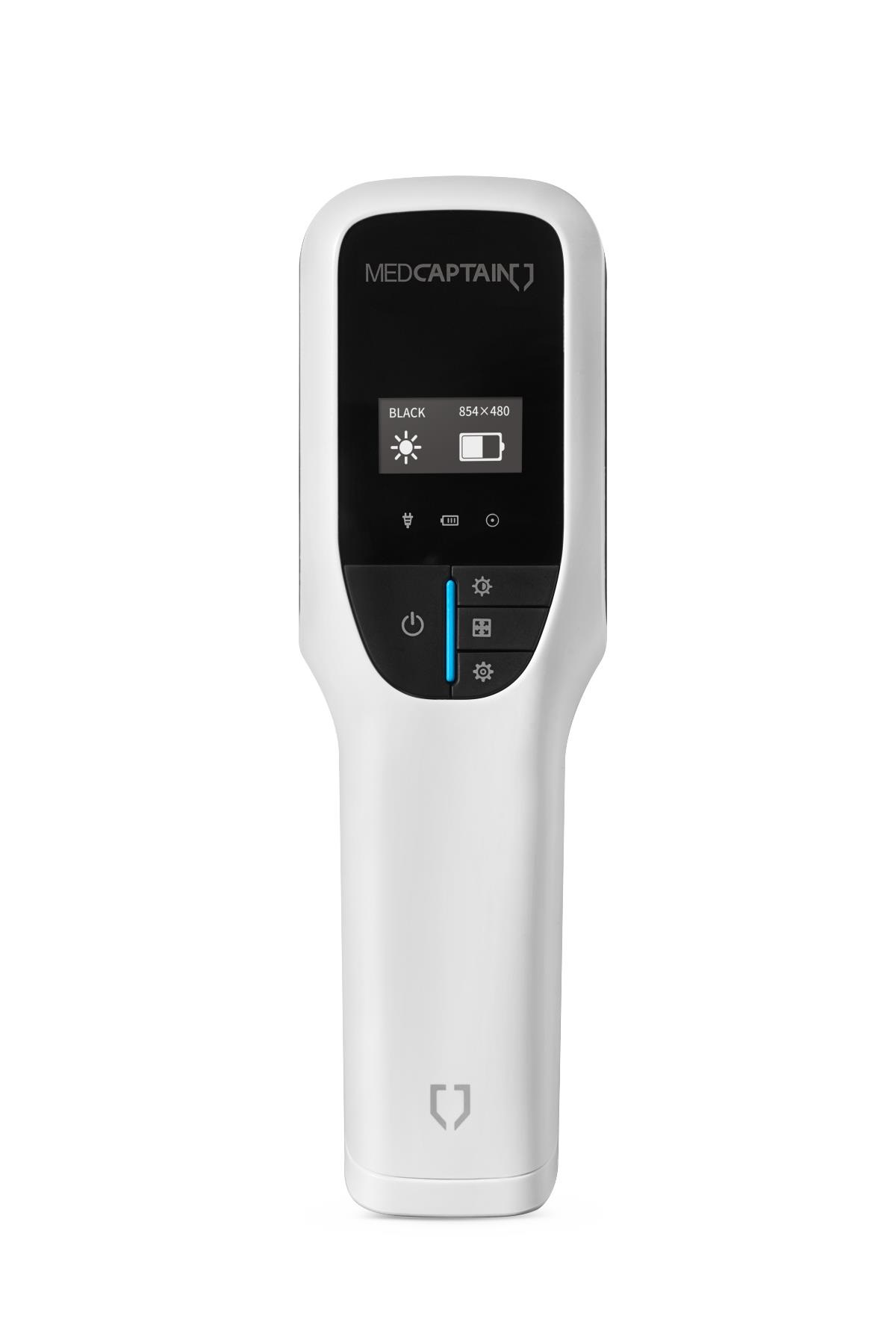
Clear vein visualization can support more organized and confident approaches to vascular access. Innovative vein finder solutions provide professionals with valuable visual assistance, helping improve preparation, workflow efficiency, and patient experiences while complementing established clinical expertise.

Enhancing Vein Visualization

Modern visualization solutions help professionals identify veins more clearly beneath the skin. Better visual information can support thoughtful assessment and create greater confidence before beginning procedures.

  • Clearer visibility of vascular structures
  • Improved vein identification
  • Helpful visual guidance
  • Better pre-procedure assessment
  • Greater preparation confidence

Supporting Informed Vein Selection

 Vein Finder

Understanding vein location and direction can help professionals plan procedures carefully. Enhanced visualization provides useful information that supports suitable vein assessment and organized access preparation.

  • Better awareness of vein pathways
  • Easier assessment of suitable veins
  • Improved access-point planning
  • Consistent visual assistance
  • More informed preparation

Improving Clinical Workflow

Efficient vein visualization can contribute to smoother procedural routines. When professionals can assess veins more conveniently, they can maintain an organized workflow while giving greater attention to patient care.

  • Faster visual assessment
  • Streamlined procedure preparation
  • Efficient workflow support
  • Convenient vein guidance
  • Improved time management

Building Professional Confidence

Clear visual support can strengthen confidence during vein assessment. Professionals can use additional visual information alongside their knowledge and experience to approach procedures with greater assurance.

  • Enhanced visual awareness
  • Greater procedural confidence
  • Helpful decision-making support
  • Focused preparation
  • Consistent assessment practices

Supporting Patient Comfort

A calm and organized approach can contribute to a positive patient experience. Better preparation and clear visualization may help professionals carry out procedures smoothly while maintaining attentive communication.

  • Comfortable procedure preparation
  • Reduced searching time
  • Smooth procedural experiences
  • Confident professional approach
  • Supportive patient interactions

Encouraging Better Preparation

Preparation plays an important role in organized healthcare delivery. Visual assistance can provide useful information before procedures, helping professionals understand vein location and prepare an appropriate approach.

  • Clear pre-procedure information
  • Improved vein assessment
  • Organized preparation routines
  • Better procedural readiness
  • Helpful visual reference

Supporting Consistent Care

Reliable visualization can complement professional skills by providing repeatable visual guidance. Consistent support encourages structured routines and can contribute to efficient procedural performance.

  • Consistent visual assistance
  • Organized clinical processes
  • Efficient assessment routines
  • Clear procedural guidance
  • Improved professional focus

Adapting To Clinical Needs

Vein finder solutions can support different situations where vascular visualization is beneficial. Their practical capabilities allow professionals to incorporate visual guidance into a variety of organized care workflows.

  • Support for vascular access
  • Flexible visualization capabilities
  • Convenient vein assessment
  • Practical procedural assistance
  • Adaptable clinical applications

Advancing Positive Healthcare Experiences

Innovative technology can complement professional expertise and contribute to thoughtful care delivery. A solution such as illumivein demonstrates how focused vein visualization can support confidence, efficiency, and patient-centered experiences. By combining clear visualization, practical guidance, and convenient assessment, innovative vein finder solutions can encourage better healthcare outcomes overall. Their ability to support preparation, workflow organization, professional confidence, and patient comfort makes them valuable tools for enhancing positive clinical experiences.

  • 1
  • 2
  • 3
  • 4
  • …
  • 15
  • Next

Search

Calendar

November 2026
M T W T F S S
 1
2345678
9101112131415
16171819202122
23242526272829
30  
« Oct    

More News

  • Professional SEO Services Encourage Sustainable Digital Business Development
  • Keeping Construction Projects Protected With Dedicated Fire Watch Guards
  • Turning Social Conversations Into Leads Through Effective X Marketing
  • Peel Clear Coating Enhances Vehicle Protection With Beautiful Finishes
  • Comprehensive Service Guides Support Efficient Equipment Inspections

List Of Categories

  • Application
  • Auto
  • Automobile
  • Beauty
  • Betting
  • Blogging
  • Business
  • Career
  • Construction
  • Dental
  • Digital Marketing
  • E-commerce
  • Education
  • Entertainment
  • Fashion
  • Finance
  • Fitness
  • Food
  • Furniture
  • Games
  • General
  • Gifts
  • Health
  • Health Insurance
  • Home
  • Home Improvement
  • Insurance
  • Internet Marketing
  • Law
  • Marketing
  • News
  • Pets
  • Photography
  • Real Estate
  • SEO
  • Shopping
  • Social Media
  • Software
  • Sports
  • Tech
  • Technology
  • Travel
  • Uncategorized
  • Web Design
  • Web Development
  • Web Hosting
  • Wedding

Meta

  • Log in
  • Entries feed
  • Comments feed
  • WordPress.org
©2026 Emptynestonline